
Share:

AI marketing & automation


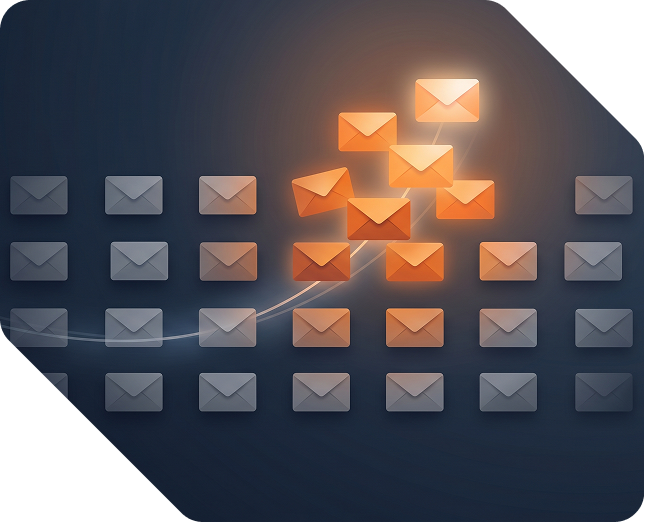
ail list loses subscribers every month, even when nothing looks wrong. People change jobs, lose interest, or quietly stop opening. Left alone, those silent contacts pull down your engagement rates and put your inbox placement at risk.
This guide shows you how to build a re-engagement campaign that wins back the subscribers worth keeping. You will learn how to define inactivity, segment the right people, structure the sequence, write each email, and measure results now that open rates no longer tell the truth.
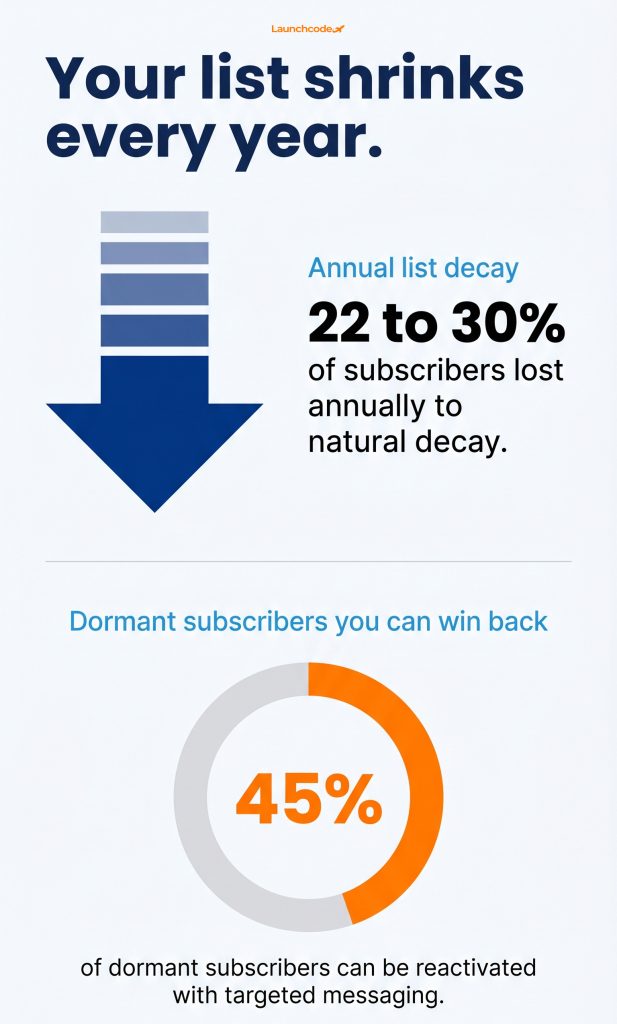
A re-engagement campaign protects three things at once: revenue, list health, and deliverability. Email lists lose roughly 22 to 30 percent of subscribers each year through natural decay, yet around 45 percent of dormant subscribers can still be reactivated with targeted messaging, according to deliverability research from Mailmend. Ignoring inactive contacts means losing recoverable revenue and risking your sender reputation.
Inbox providers now treat low engagement as a reason to filter you. Gmail and Yahoo classify any domain sending 5,000 or more messages per day to personal accounts as a bulk sender, and they require a spam complaint rate under 0.3 percent, with Google recommending below 0.1 percent per Mailgun. As Yahoo’s Marcel Becker puts it, a good sender stays well below that line.
The consequences are no longer soft. As of November 2025, Google moved from temporary delays to permanent rejections for non-compliant bulk senders, and that bulk classification does not expire even if your volume drops.
“We treat a win-back as a deliverability project first and a revenue project second. When a client cut their silent contacts by 40 percent, their Gmail spam rate dropped under 0.1 percent within two weeks.” Derick Do, Co-Founder and Chief Product Officer
Silent contacts skew your reporting and waste sends. Gmail also uses engagement history such as opens, clicks, replies, and archives to decide placement, which creates a self-reinforcing cycle that buries low-engagement senders. The longer you mail people who never engage, the more the inbox learns to hide you. A re-engagement campaign stops that cycle before it reaches your active readers.
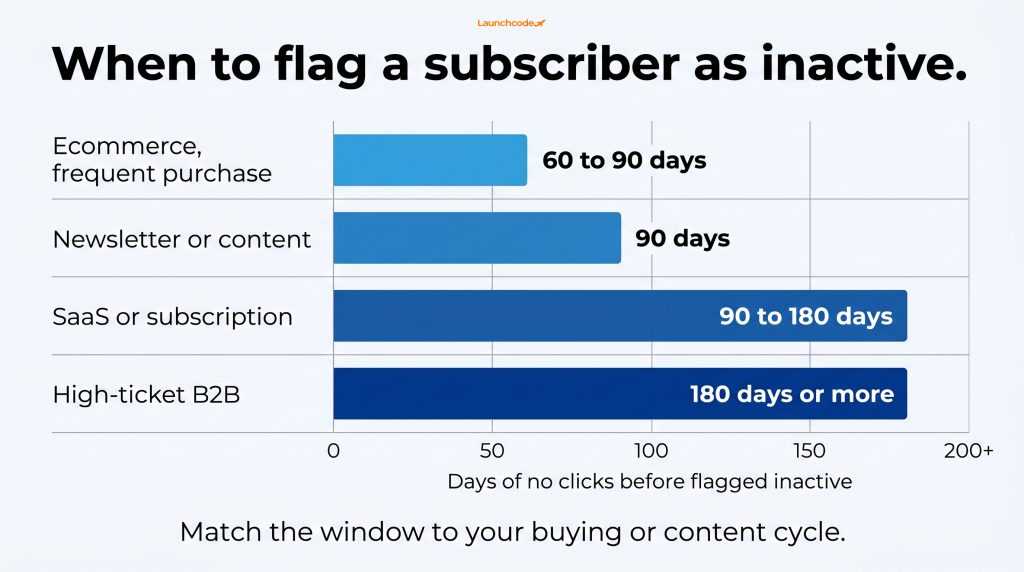
Define inactivity by your buying or content cycle, not a fixed calendar date. For a weekly ecommerce sender, 60 to 90 days of no clicks signals inactivity. For a high-ticket B2B or SaaS account, 180 days may be normal. Segment on clicks rather than opens, then mail only the people who have truly gone quiet so you do not annoy active readers.
The right window depends on how often customers buy or engage. Use this as a starting point and adjust with your own data.
| Business type | Suggested inactivity window | Why it fits |
|---|---|---|
| Ecommerce, frequent purchase | 60 to 90 days | Short buying cycles make silence meaningful fast |
| Newsletter or content | 90 days | Readers skip issues without losing interest |
| SaaS or subscription | 90 to 180 days | Usage cycles are longer and seasonal |
| High-ticket B2B | 180 days or more | Long sales cycles need patience before flagging |
For SaaS teams, tie the window to product usage, not just email opens. A trial that went cold is a stronger signal than an unopened newsletter.
This is the change most guides miss. Apple Mail Privacy Protection pre-loads images and inflates open rates, but it does not affect click tracking, per Constant Contact. If your segments still rely on opens, your inactive list is wrong. Build engagement segments on link clicks, site visits, and purchases instead.
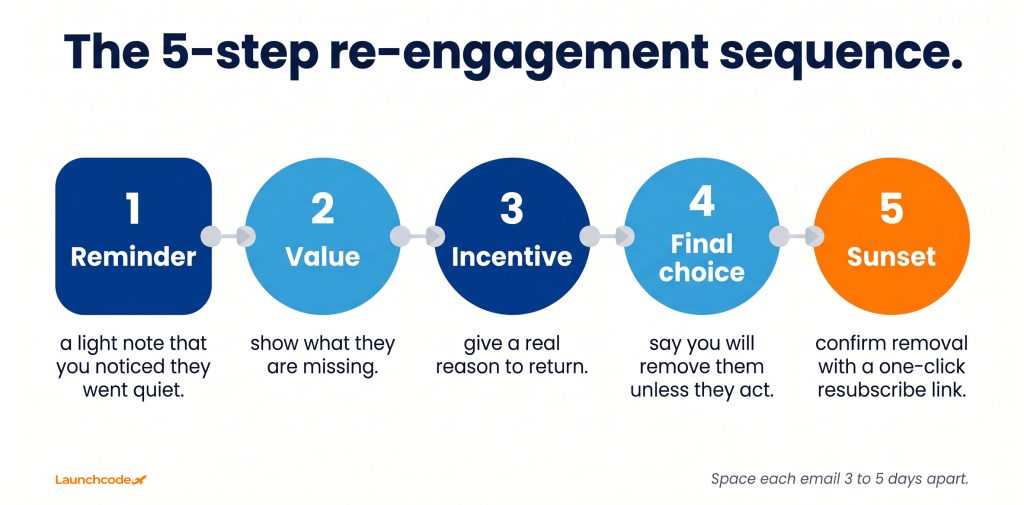
Use a three to five email sequence that escalates value and urgency, spaced three to five days apart. Klaviyo recommends keeping a win-back flow to three emails, with the first as a light, short touchpoint. Each message serves a distinct job: remind, add value, incentivize, then give a clear final choice before you remove non-responders.
Removing people who never come back protects everyone who stays. Do not act too fast, though. Validity reports that around 45 percent of subscribers who ignored a win-back still read later messages, and re-permission campaigns saw read rates as low as 1.8 percent. Check all activity, including site visits and purchases, before you suppress someone.
Lead with one clear message and one clear ask. The most successful re-engagement emails re-engage about 10 percent of inactive subscribers, according to Mailchimp, and that same source notes targeting a current contact costs less than finding a new one. Keep copy short, personal, and built around why the subscriber went quiet in the first place.
Direct questions and personalization beat generic “we miss you” lines. Acknowledge the gap honestly, then make the value obvious. A subject like “Still want these updates?” respects the reader and invites a real choice. Keep the body to a few sentences with a single, obvious link to click.
“Start every win-back by asking why they left, then write to that reason. A diagnosis-first email beat a generic discount blast by 3 to 1 on click recovery in one of our content client tests.” Tanner Medina, Co-Founder and Chief Growth Officer
An incentive only works if it beats what a subscriber could get by waiting. For ecommerce brands, that might be early access or a discount larger than your standard promotion. For content or SaaS, the incentive is often the value itself, such as a high-demand guide or a feature they never tried. Test offers one at a time so you learn what moves your audience.
Measure re-engagement with clicks, replies, and conversions, not opens. Mail Privacy Protection is enabled on around 97 percent of Apple iPhone devices, per Dotdigital, and Apple devices account for roughly 52 percent of all email opens, per Litmus data shared by Bloomreach. Open-based reporting now hides the truth about whether your campaign worked.
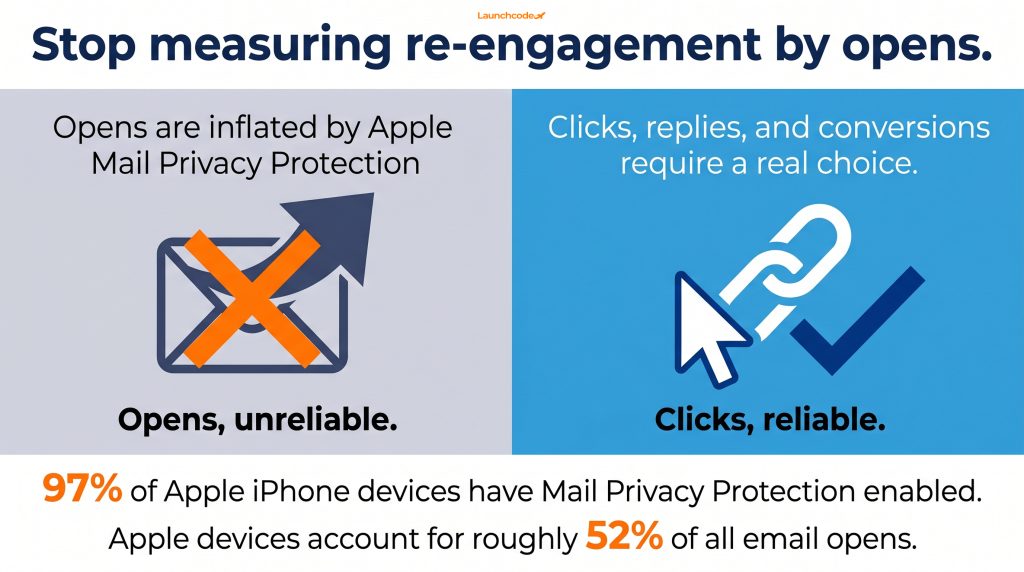
Clicks, replies, and purchases require a choice, so they signal real interest. After privacy changes hit her team’s open data, Joyce Neth of WATT Global Media said click-through rate became their team’s “measure of success” in reporting captured by Omeda. Set your win-back triggers and your success metric on clicks for the same reason.
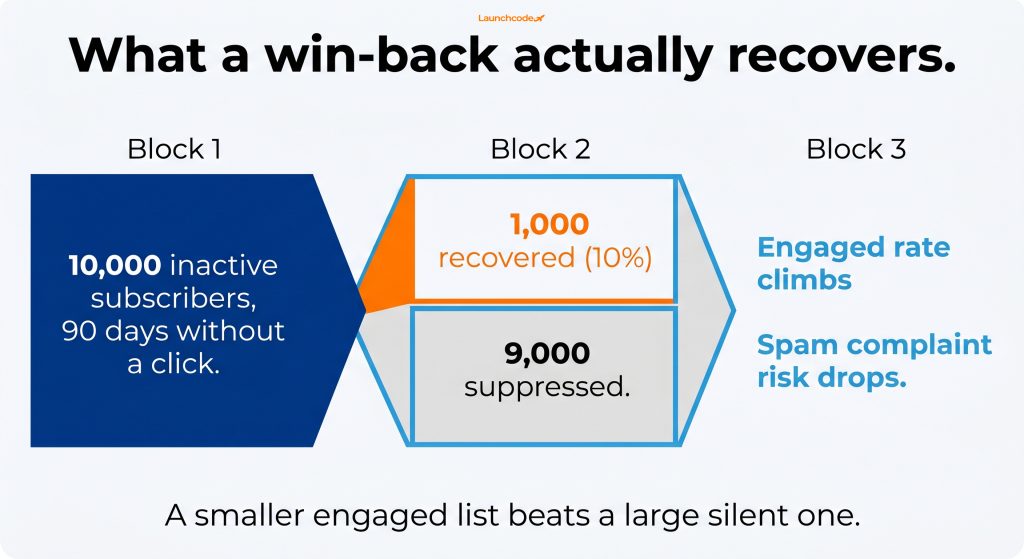
Say you flag 10,000 subscribers as inactive based on 90 days without a click. A three-email sequence recovers 10 percent, or 1,000 subscribers, measured by link clicks and site visits. You then suppress the 9,000 who stayed silent. Your list shrinks, but your engaged rate climbs, and your spam complaint risk drops. That trade is the goal.
AI now sits on both sides of the campaign. Predictive models flag subscribers likely to lapse before they go fully quiet, so you can trigger win-backs earlier. On the recipient side, Apple Intelligence and Gemini now summarize emails before a person opens them, as Klaviyo explains, which means your email must survive an AI summary before a human ever sees it.
The AI-generated summary is the new first impression. Klaviyo notes that clarity of topic and ask “is the entire game.” If your email buries the point or chases five goals at once, the summary turns garbled and the subscriber skips it. Keep one message, one ask, and a clean structure that an AI can reduce to two useful sentences.
Declining clicks, longer gaps between purchases, and falling site activity all predict churn. Feeding those signals into AI automation lets you launch a win-back during early disengagement, when recovery is most likely, instead of after a subscriber has gone cold. This depends on clean, connected data in your data infrastructure, since predictions are only as good as the inputs.
A re-engagement campaign is maintenance, not a one-time project. Decay never stops, so the brands that win treat win-backs as a standing part of their email marketing program. Define inactivity by your real cycle, segment on clicks, run a short escalating sequence, measure on intentional actions, and remove the people who never return.
At Launchcodex, the campaigns that perform best start with a simple diagnosis: why did these subscribers go quiet, and what would bring them back. Answer that honestly, and the sequence almost writes itself. For more tactics, read our email marketing guides and our coverage of AI search and GEO.
Note: recovery rates and inactivity windows vary by industry and are directional. Click-based figures are used here because open data is no longer reliable.
It depends on your cycle. Ecommerce often uses 60 to 90 days without a click, while SaaS and high-ticket B2B may wait 180 days. Match the window to how often your customers normally buy or engage.
Three to five emails works for most senders. Start with a light reminder, add value, offer a real incentive, then give a clear final choice before you remove non-responders. Space them three to five days apart.
Yes, but check all their activity first, including site visits and purchases. Some people read without clicking. Once you confirm true silence, suppress them. A smaller engaged list protects your deliverability for everyone who stays.
Apple Mail Privacy Protection inflates opens by pre-loading images, and it affects a large share of inboxes. Clicks, replies, and conversions require a real choice, so they give an honest read on whether your campaign worked.


Real stories from the people we’ve partnered with to modernize and grow their marketing.