

Share:

AI marketing & automation


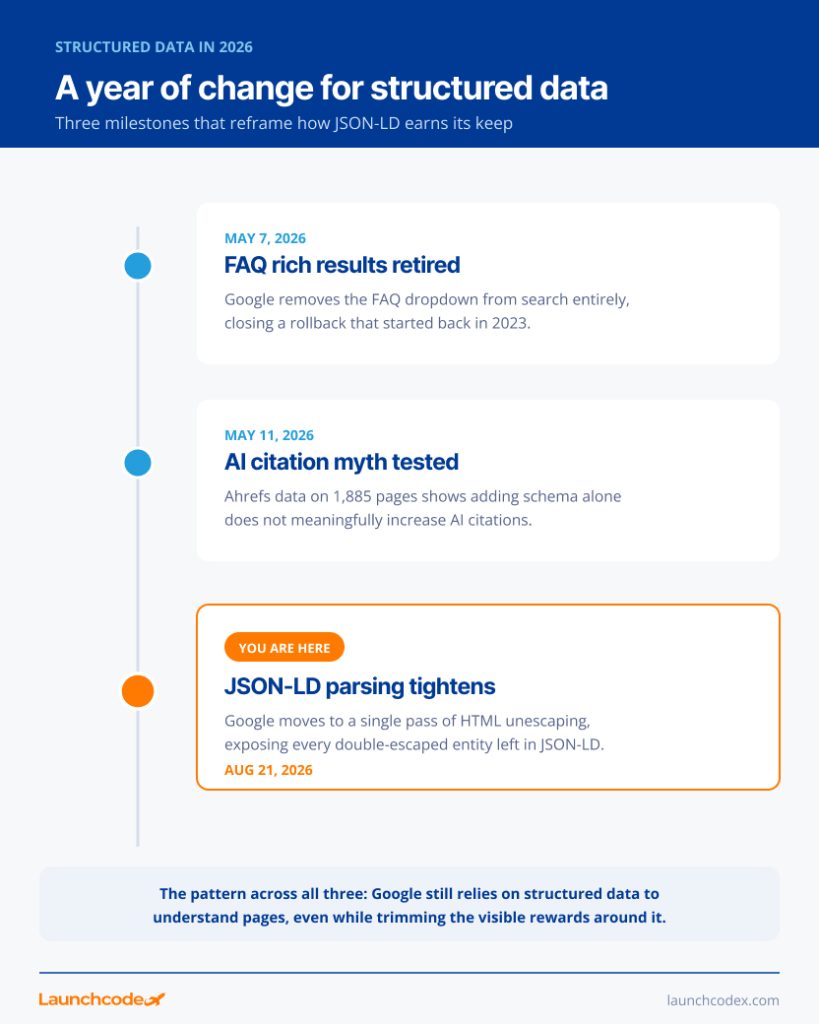
On August 21, 2026, Google changed how its crawler reads JSON-LD structured data. The parser now applies a single pass of HTML unescaping instead of resolving entities more than once. If your JSON-LD uses HTML entity escaping for characters like an ampersand or a checkmark, and that value got escaped more than once somewhere in your stack, Google no longer decodes it back to the character you meant.
This article covers what changed, how to check your own structured data, and how to fix it using the JSON escaping rules Google now expects. It also covers whether this touches your rankings or only your rich results.
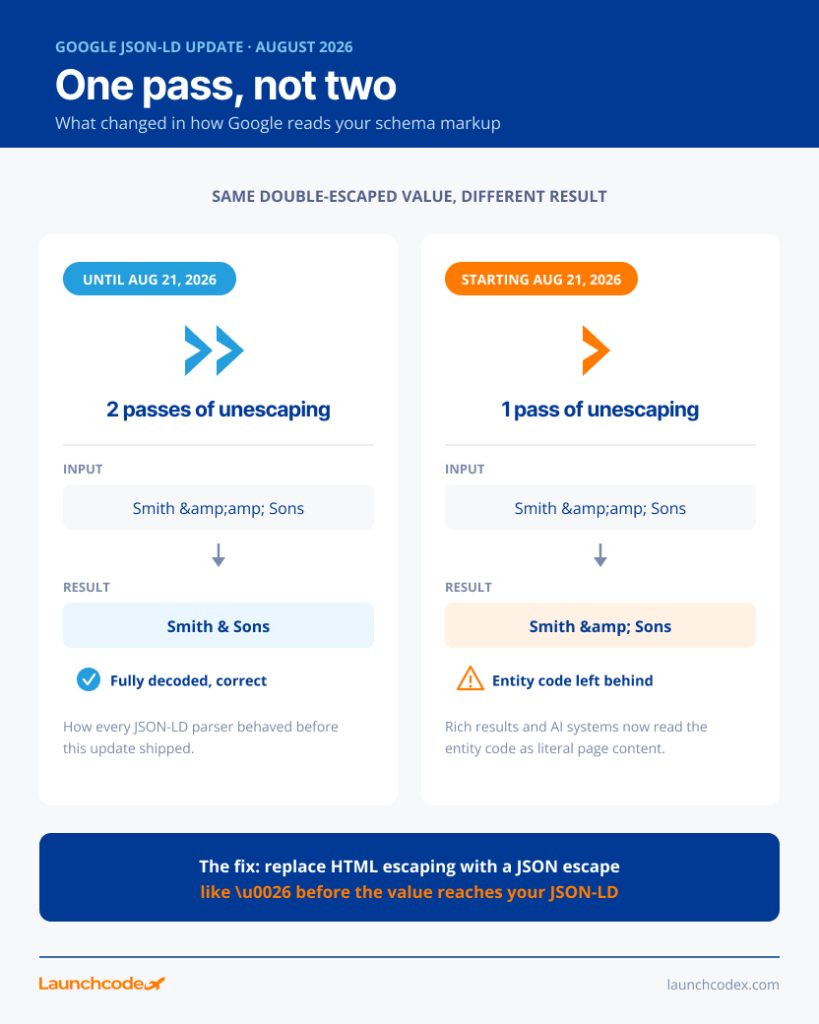
Google’s crawler used to decode HTML entities in JSON-LD as many times as needed. Now it decodes an entity exactly once. A value that was HTML-escaped twice, like & for an ampersand, used to come out clean. Now it comes out as the literal text & inside your structured data instead of the character you meant.
Google explained the change in a LinkedIn post reported by Search Engine Roundtable, saying the update brings its JSON-LD parser in line with JSON and other standards. The company also confirmed it uses JSON-LD script blocks to read details like product prices, review stars, recipe ingredients, and FAQs, then turn them into rich results.
Here’s a business name field: Smith & Sons. A templating system that HTML-escapes it once turns it into Smith & Sons in your page source. If something in your stack escapes it a second time, maybe a CMS field that already stores the HTML-escaped version and escapes it again on output, it becomes Smith & Sons.
Before this update, Google unescaped that value twice and recovered Smith & Sons correctly. Now, one pass of unescaping only resolves the outer layer, leaving Smith & Sons as the literal value in your structured data. Google reads the actual text Smith & Sons, entity code and all, instead of the business name.
Gary Illyes named the exact rule to follow: “It’s very, very well defined in RFC 8259, specifically section 7.” That section of the JSON specification lists a small, fixed set of backslash escapes, including the quote mark, backslash, and a few control characters, plus \u0026 style Unicode escapes for any other character. HTML entity codes like & or ✔ were never part of that list. JSON never needed them. That mismatch is the root cause of this issue.
You are likely affected if your JSON-LD comes from a CMS, page builder, or templating system that HTML-escapes text fields automatically, and if any of those fields get escaped more than once before they reach the page. The fastest way to know is to run your live pages through Google’s Rich Results Test and check for garbled entity codes inside string values.
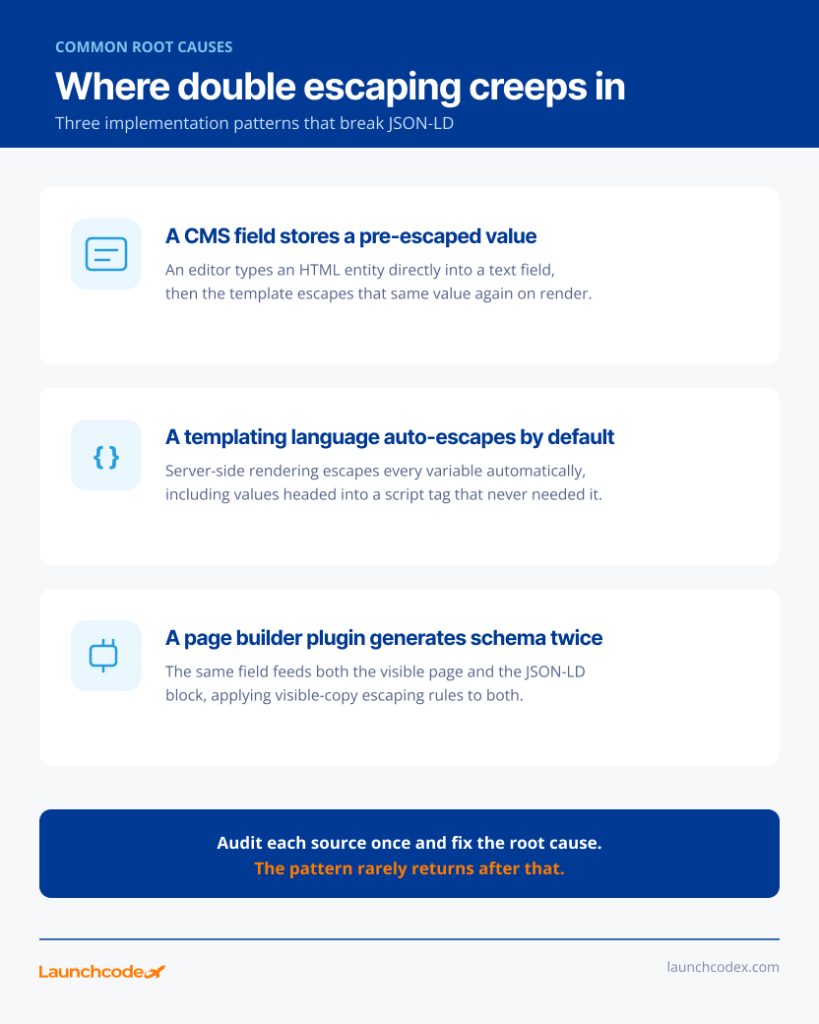
HTML-escaped JSON-LD almost always traces back to one of three sources.
“We see this constantly in CMS migrations at Launchcodex. A field gets escaped once in the database and again in the template, and nobody notices until the schema fails validation.” Derick Do, Co-Founder & Chief Product Officer
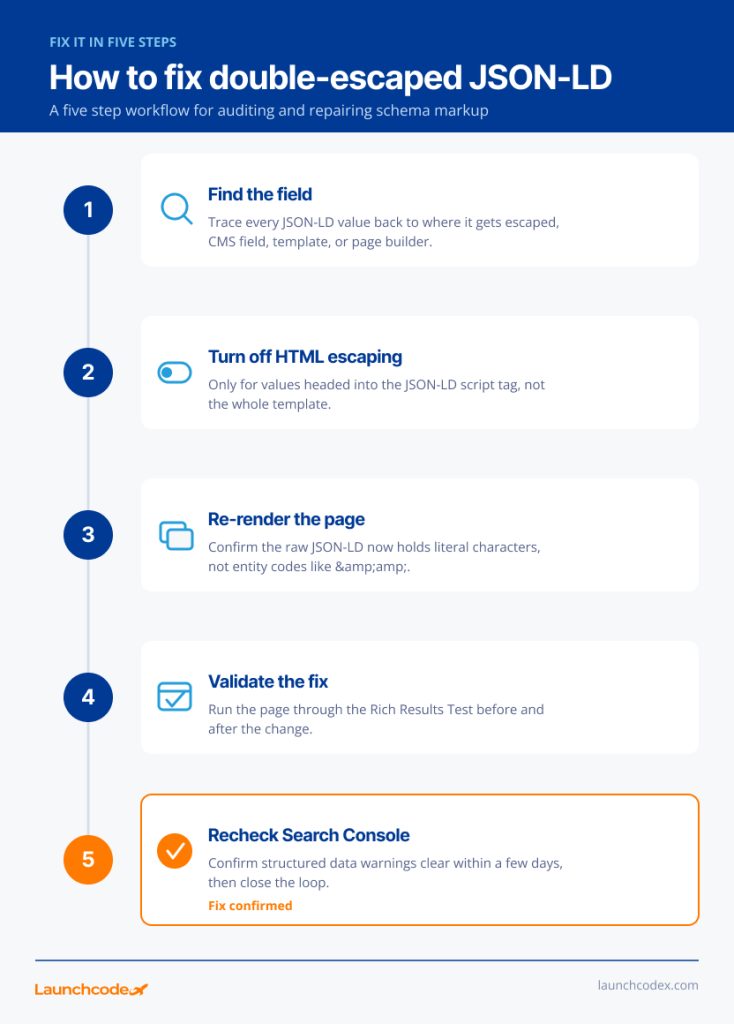
Stop HTML-escaping any value that feeds a JSON-LD script block. JSON has its own escaping rules, and they do not include HTML entities. Use the literal character wherever possible, since JSON does not require escaping an ampersand at all. For characters that do need one, use a standard JSON escape or a Unicode hex escape like \u0026.
Take the Smith & Sons example from earlier. Here is the broken version and the fix side by side.
Broken, double escaped: “name”: “Smith & Sons”
Still broken after the update, single pass only: resolves to the literal text Smith & Sons
Correct: “name”: “Smith & Sons”
Also correct, using a Unicode escape: “name”: “Smith \u0026 Sons”
Both correct versions parse cleanly and give Google the actual business name, with no entity codes left behind.
“The fix is almost always smaller than people expect. Once you find where the escaping happens twice, it’s usually a one-line change, not a rebuild.” Derick Do, Co-Founder & Chief Product Officer
This update changes rich result eligibility and data accuracy. It does not touch core rankings. A page with broken JSON-LD can still rank normally for its target query. It just loses the visual space and the trust signal that comes with a clean rich result, and any AI system that relies on structured data for understanding gets a slightly worse read on that page.
Google’s Search Central team has said structured data by itself is not a general ranking signal, though it can make a page eligible for rich results and other search features. Separately, Google’s structured data guidelines state that violating a quality guideline, including markup that does not match the visible page, can stop correct structured data from displaying as a rich result. That rule already existed before this update. The escaping change simply adds a new way to fail the syntax check before the content matching check even applies.
“This is the update that causes panic before anyone reads past the headline. Rankings are fine. Rich results are what’s actually at risk.” Tanner Medina, Co-Founder & Chief Growth Officer
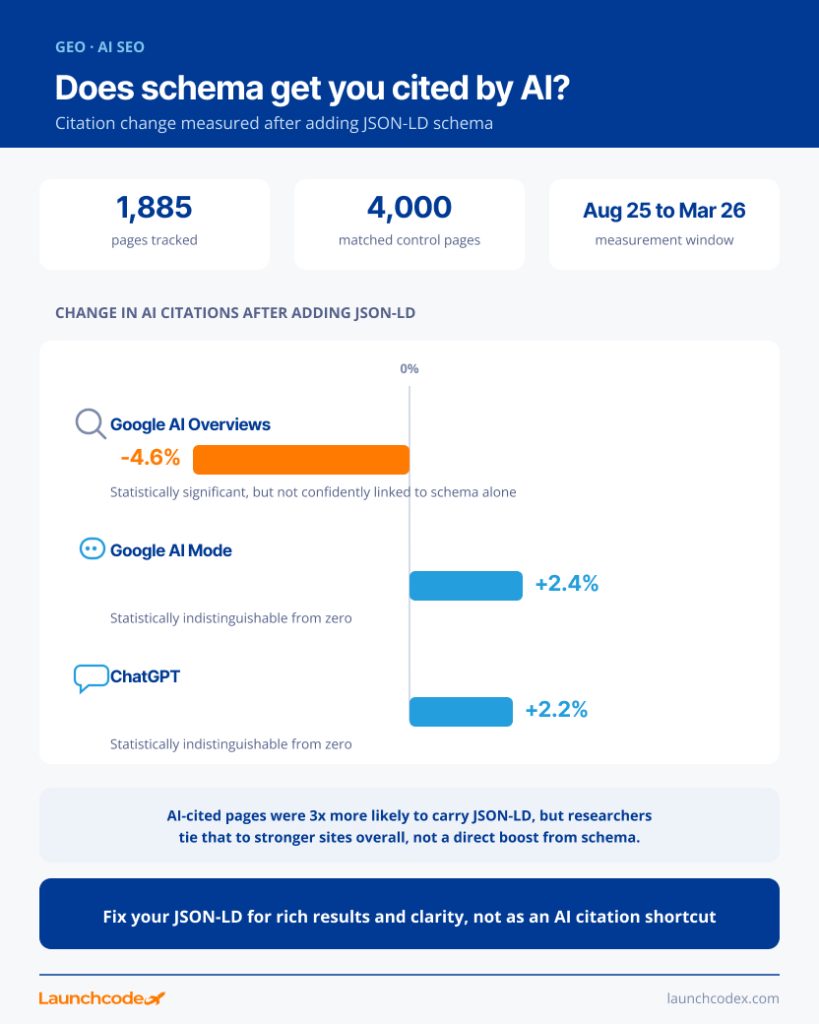
Structured data is not the AI citation shortcut some advice suggests. Ahrefs tracked 1,885 pages that added JSON-LD between August 2025 and March 2026 against roughly 4,000 matched pages that did not, then measured citation changes across three AI platforms.
| Platform | Effect on citations | Statistically significant |
|---|---|---|
| Google AI Overviews | Down 4.6 percent | Yes, though not confidently linked to schema alone |
| Google AI Mode | Up 2.4 percent | No |
| ChatGPT | Up 2.2 percent | No |
The researchers also found AI-cited pages were three times more likely to carry JSON-LD, but concluded that reflects sites that already invest in strong technical SEO and content, not a direct citation boost from schema itself. That crawling and indexing value is different from live AI retrieval. A separate searchVIU test found that ChatGPT, Claude, Perplexity, Gemini, and Google AI Mode all read only the visible HTML when fetching a page directly, ignoring JSON-LD entirely at that step.
“Clients ask us constantly if schema is the secret to getting cited by AI. It isn’t, and the data backs that up, but broken schema can still cost you a rich result you already earned.” Tanner Medina, Co-Founder & Chief Growth Officer
Correct JSON-LD still earns real value elsewhere. Microsoft’s Fabrice Canel confirmed on stage at SMX Munich that schema markup “helps Microsoft’s LLMs understand your content,” and Google deprecated FAQ rich results entirely as of May 7, 2026, a reminder that Google keeps using structured data for understanding even as it trims which formats get a visible reward in the SERP.
This update rewards sites that treat structured data as a real technical asset, not a script tag you write once and never check again. Run your key templates through the Rich Results Test this week. Fix any HTML-escaped values you find. Add a quarterly structured data check to your regular SEO routine, so the next Google parser change does not surprise you. Getting the escaping right also sets up everything else structured data still does well, from rich results to giving AI systems a cleaner read on your content.
Not urgently. This is a data accuracy and rich result issue, not a ranking penalty. Fix it in your next development cycle. Prioritize page types that already earn rich results, like products or recipes.
Google’s announcement addressed JSON-LD extraction. JSON-LD is also the format Google recommends over Microdata and RDFa, so it is the one worth auditing first.
No. The fix applies only to the values inside your JSON-LD script block, not the HTML your visitors see. Your visible page keeps its normal HTML escaping.
Use Google’s Rich Results Test for anything tied to a specific rich result, and Search Console’s structured data reports to monitor your whole site over time.


Real stories from the people we’ve partnered with to modernize and grow their marketing.