
Share:

AI marketing & automation


Most keyword research starts the same way. You type a term you already thought of, then hope the related searches tab surfaces something useful. Google just removed that first step. A new category filter on the Google Trends Explore page lets you see what people already search for across an entire industry, with no keyword entered at all.
This article breaks down exactly what changed, how the feature fits into Google’s broader 2026 Trends redesign, and how to turn a category level search into real content ideas. You will also see where this free tool still falls short, so you know when to bring in a paid keyword tool instead.
Google Trends now lets you filter Explore page results by category, with or without a typed query. Apply a category alone, and Trends shows the top searched terms for that category, region, and timeframe, no keyword required. This is a direct change from the old workflow, where a search term was always the starting point.
Google confirmed the update through its own LinkedIn account and it was independently reported by Search Engine Roundtable, a widely followed source for search industry news. Google described the update as one that “makes it easier to refine trends data more precisely for specific categories,” using the example category “All Books & Literature.”
You now have two distinct entry points into Google Trends data.
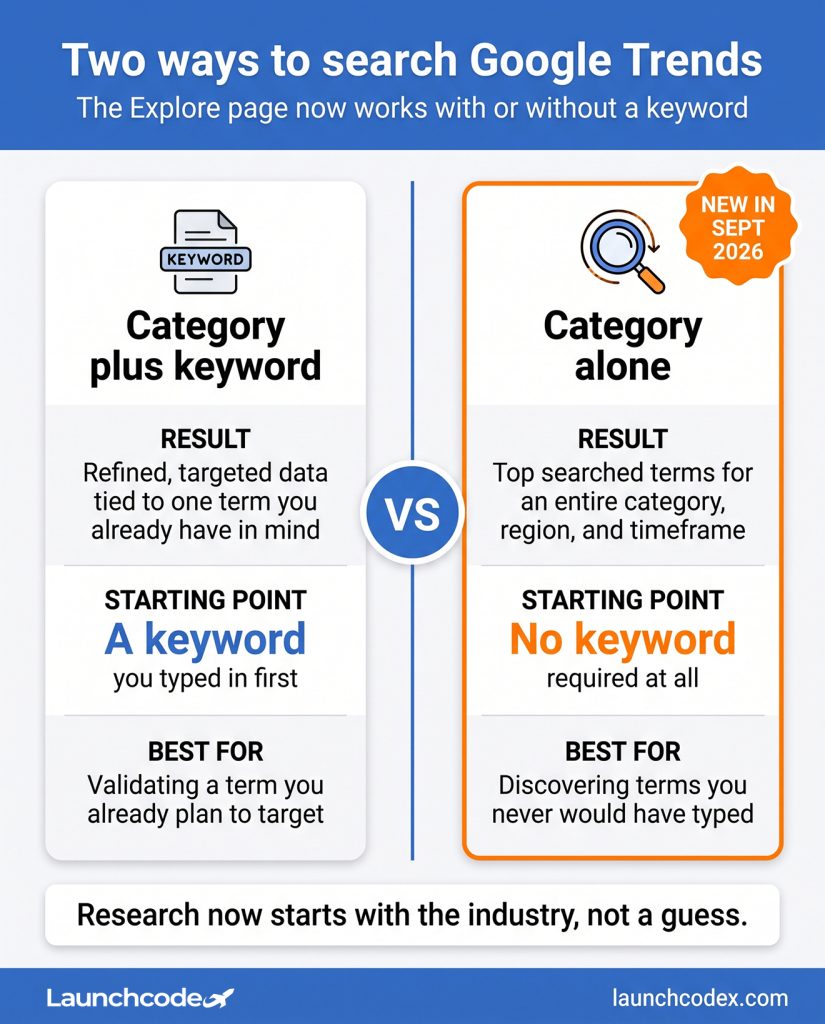
A plastic surgery practice, for example, would normally start with a keyword like lip filler and dig through related searches from there. With the category filter, that same practice can select the broader medical aesthetics category first and see terms it never would have thought to search for. That is the practical shift here. Research now starts with the industry, not a guess.
“Most content teams burn their first hour of keyword research just brainstorming a seed list. This filter skips that hour and hands you the industry’s actual search behavior instead.” Tanner Medina, Co-Founder and Chief Growth Officer
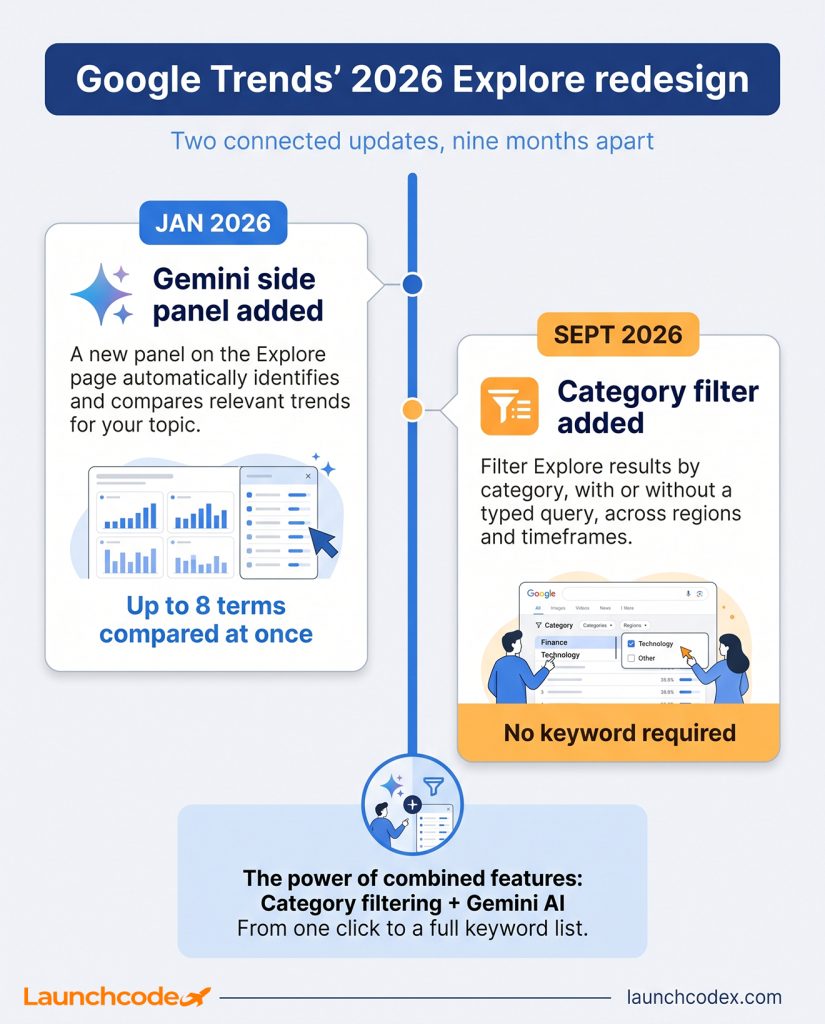
The category filter is not an isolated tweak. It extends a January 2026 redesign of the Explore page that added a Gemini powered side panel, which automatically identifies and compares relevant trends for whatever you search. Understanding this context explains why Google keeps investing in Trends as a serious research tool, not just a novelty chart.
Nir Kalush, Product Manager for Google Trends, described the side panel’s job as using Gemini to “automatically identify and compare relevant trends” for a user’s area of interest, according to Google’s official product announcement. That redesign also increased the number of terms users can compare at once and doubled the rising queries shown on each timeline.
| Update | Date | What it adds |
|---|---|---|
| Gemini side panel | January 2026 | Auto suggests and compares up to eight related search terms |
| Category filter | September 2026 | Filters Explore results by category, with or without a query |
Think of the two updates as layered. The January redesign made comparing terms faster once you already had a starting point. The September update removed the need for that starting point in the first place. Used together, a researcher can filter by category first, then let the Gemini panel expand whatever surfaces into a full comparison set.
Open Google Trends, click Explore, and select a category from the All Categories dropdown without entering a search term. Trends will return the top searched terms for that category, region, and timeframe, giving you a keyword list you did not have to think up yourself. This is the core mechanic behind the free shortcut in this article’s title.
“I run this as a five minute check before any client kickoff now. You get a raw list in under a minute, and half the time it surfaces a term nobody on the team would have typed in first.” Derick Do, Co-Founder and Chief Product Officer
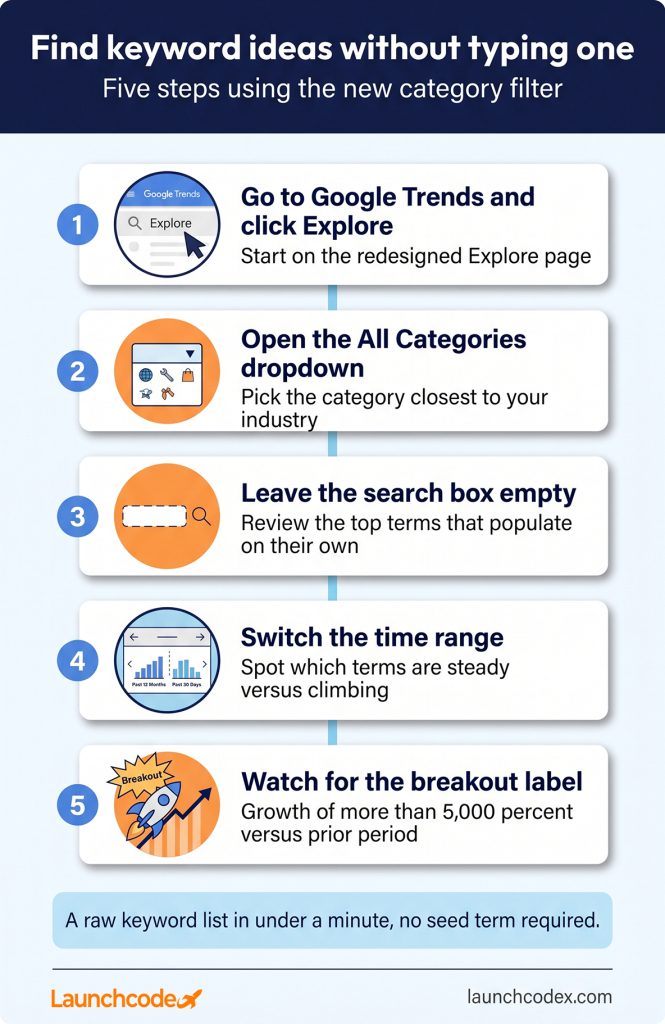
Picture a home services company that only ever searched “roof repair” in the past. Filtering the home and garden category with no keyword instead surfaces terms like gutter guard installation or storm damage inspection, ideas the team never would have typed in on its own. That is a direct keyword list, generated from category interest instead of a single guess.
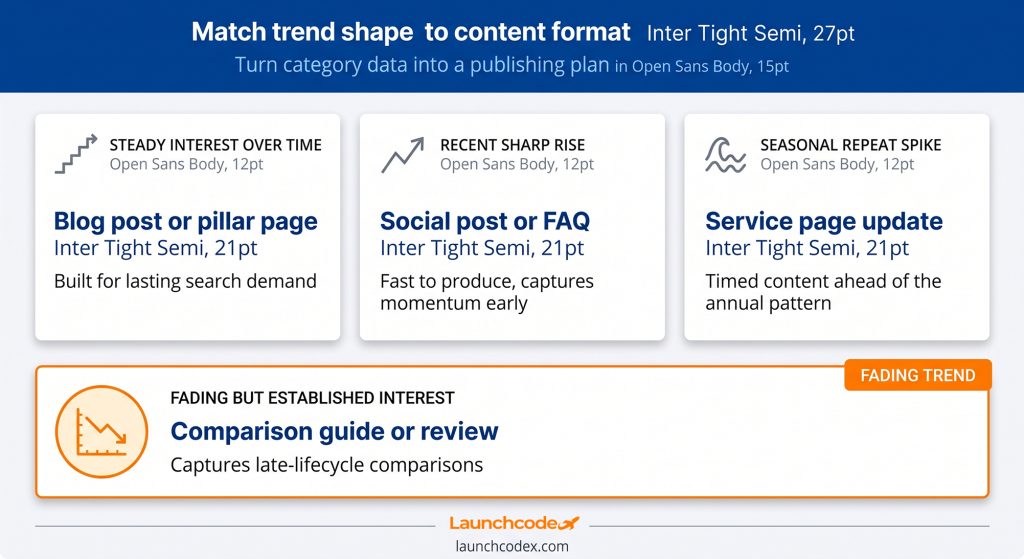
Every term that surfaces from a category filter maps to a content format. Rising terms with steady interest fit blog posts and service pages, while sharp short term spikes fit social content and FAQs that can go live fast. This is the bridge between raw trend data and a content calendar.
| Trend pattern | Best content format | Why it fits |
|---|---|---|
| Steady interest over time | Blog post or pillar page | Built for lasting search demand |
| Recent sharp rise | Social post or FAQ | Fast to produce, captures momentum early |
| Seasonal repeat spike | Service page update | Timed content ahead of the annual pattern |
| Breakout label | Short video or news style post | Low competition while interest is peaking |
At Launchcodex, category level trend checks are one input into a larger keyword prioritization process, not a replacement for it. A term surfacing in a category filter still gets checked against real intent and competition before it earns a spot on a content calendar.
“A term showing up in a category filter tells you people care about the topic. It doesn’t tell you if ranking for it will move pipeline. Those are two different questions, and we score them separately before anything gets written.” Tanner Medina, Co-Founder and Chief Growth Officer
Google Trends shows relative search interest on a 0 to 100 scale, not actual search volume. A score of 100 means peak popularity for your selected time period, not 100 searches, and a score of zero simply means there was not enough data to show. This limitation applies to category results exactly the same way it applies to keyword results.
Brian Dean, founder of Backlinko, put it plainly in his own guide to the tool, noting that Google Trends “does not provide keyword metrics or an in-depth look at audience language,” and works best paired with a tool that shows real volume and competition, as detailed in Backlinko’s guide to Google Trends.
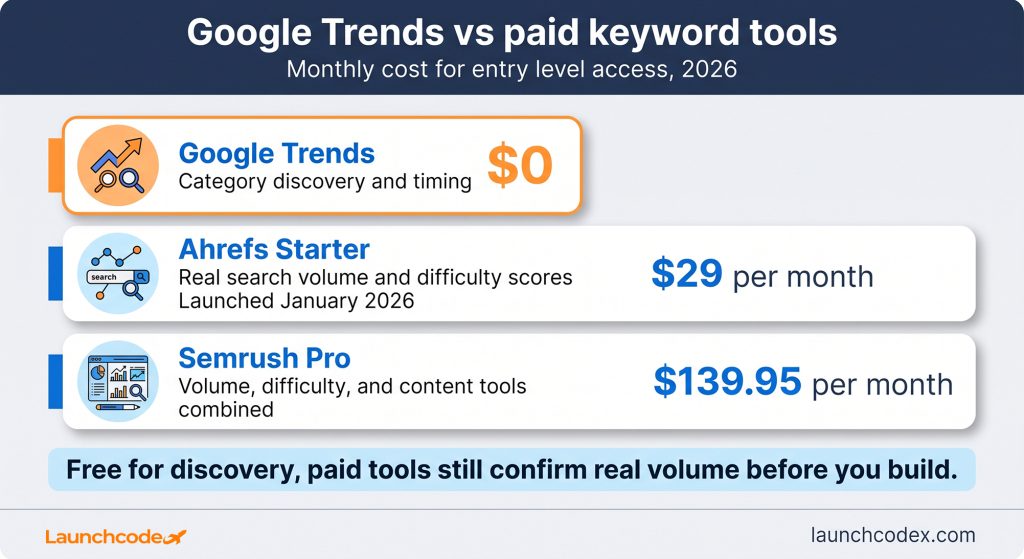
| Tool | Best for | Cost |
|---|---|---|
| Google Trends | Category discovery and timing | Free |
| Ahrefs Starter | Real search volume and difficulty scores | 29 dollars a month, launched January 2026 |
| Semrush Pro | Volume, difficulty, and content tools combined | 139.95 dollars a month |
Those price points come from a 2026 Ahrefs versus Semrush comparison. The gap matters here. Google Trends can point you toward the right category and the right terms inside it for free. Confirming that a specific term is worth building a page around still benefits from volume and difficulty data Trends was never built to provide.
The category filter changes where keyword research starts, not what happens after. Use it to generate a raw list of terms your team never would have typed in manually, then run the strongest candidates through a tool that shows real volume before committing writing time. Set a recurring check, monthly for a fast moving industry, quarterly for a stable one, and treat any breakout label as a signal to move fast while the window is still open.
No. Select a category from the All Categories dropdown on the Explore page and leave the search box empty. Trends will show the top searched terms for that category on its own.
No. Trending Now shows real time trending topics with estimated search volume. The new Explore category filter shows top and rising terms within a category you choose, filtered further by region and timeframe, using the relative interest scale.
No. Trends still shows a 0 to 100 relative interest score, not actual search counts. Pair it with a tool like Ahrefs or Semrush when you need real volume numbers before targeting a term.
Google is rolling out the update gradually, following the same pattern as the January 2026 Gemini redesign. If you do not see the category dropdown yet, check back, since the rollout is ongoing.


Real stories from the people we’ve partnered with to modernize and grow their marketing.